主题
git提交规范
使用commitizen
问题描述
当前我需要对项目中的git提交进行规范,利用commitizen和husky对git提交规范进行检测。解决过程
1.安装所需——commitizen
npm install -g commitizennpm install cz-customizable --save-dev2.package.json中添加代码
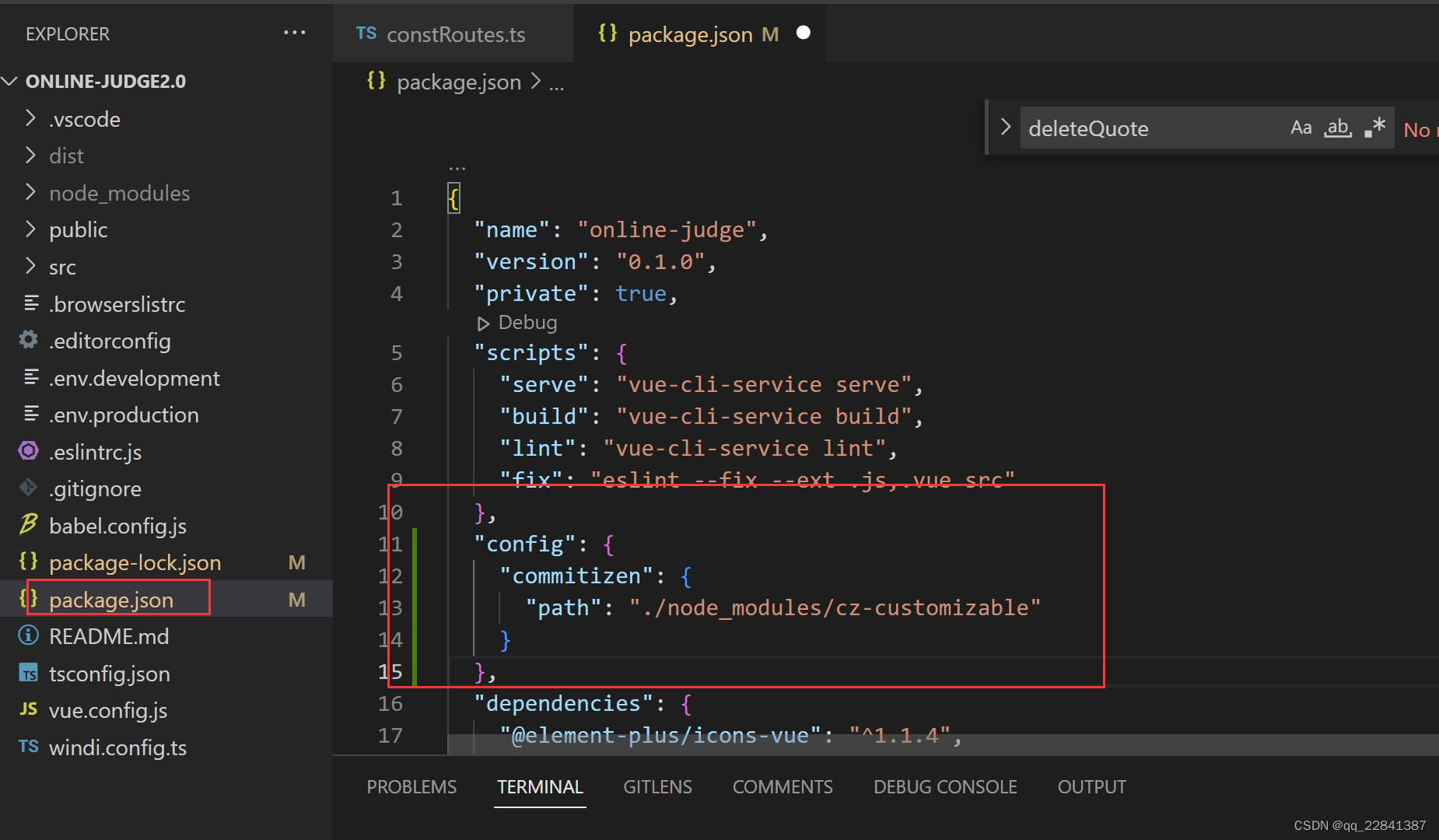
等待两个安装完成后,在项目中package.json中添加一下代码
"config": {
    "commitizen": {
      "path": "./node_modules/cz-customizable"
    }
}添加位置与script同级即可
3.添加配置文件
在项目的根目录创建文件.cz-config.js
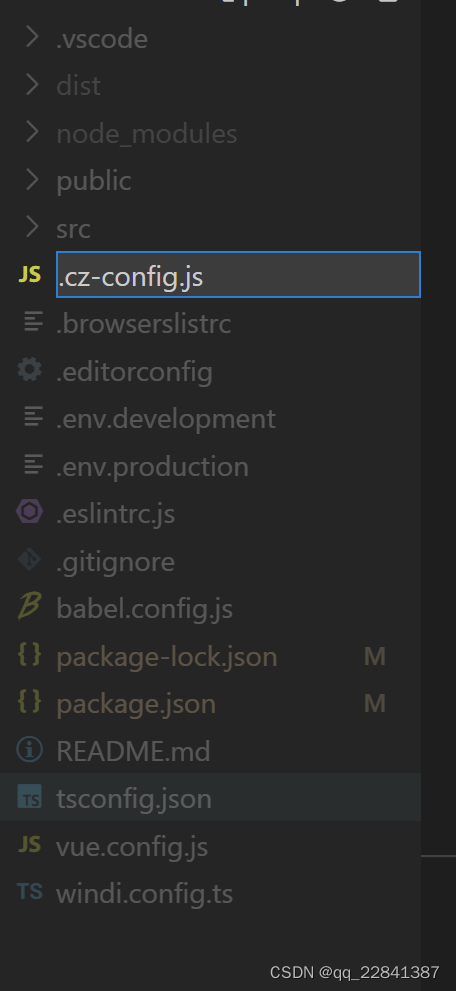
现在可对commit规范进行配置,这里提供一套项目配置
module.exports = {
    // 提交流程
    messages: {
        type: '选择本次提交类型:',
        customScope: '\n请输入修改范围:',
        subject: '填写简短精炼的变更描述:\n',
        body: '填写更详细的变更描述使用 "|" 换行:\n',
        confirmCommit: '确认使用以上信息提交?(y/n)'
    },
    // 跳过步骤
    skipQuestions: ['footer'],
    // 可选类型
    types: [
        { value: 'feat', name: 'feat:     添加新功能' },
        { value: 'fix', name: 'fix:      修复bug' },
        { value: 'docs', name: 'docs:     文档变更' },
        { value: 'style', name: 'style:    仅仅修改了空格、格式缩进、逗号等等,不改变代码逻辑' },
        { value: 'refactor', name: 'refactor: 代码重构,没有加新功能或者修复bug' },
        { value: 'perf', name: 'perf:     优化相关,比如提升性能、体验' },
        { value: 'chore', name: 'chore:    改变构建流程、或者增加依赖库、工具等' },
        { value: 'revert', name: 'revert:   回滚到上一个版本' },
        { value: 'build', name: 'build:    部署版本' }
    ],
    breaklineChar: '|',
    subjectLimit: 100,
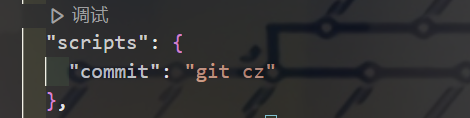
}完成配置后,我们现在就可以使用git cz来代替git commit -m 来提交备注信息了 , git cz在package.json配置一下为npm run commit
4.测试
现在进行测试流程,首先git add .

再使用npm run commit
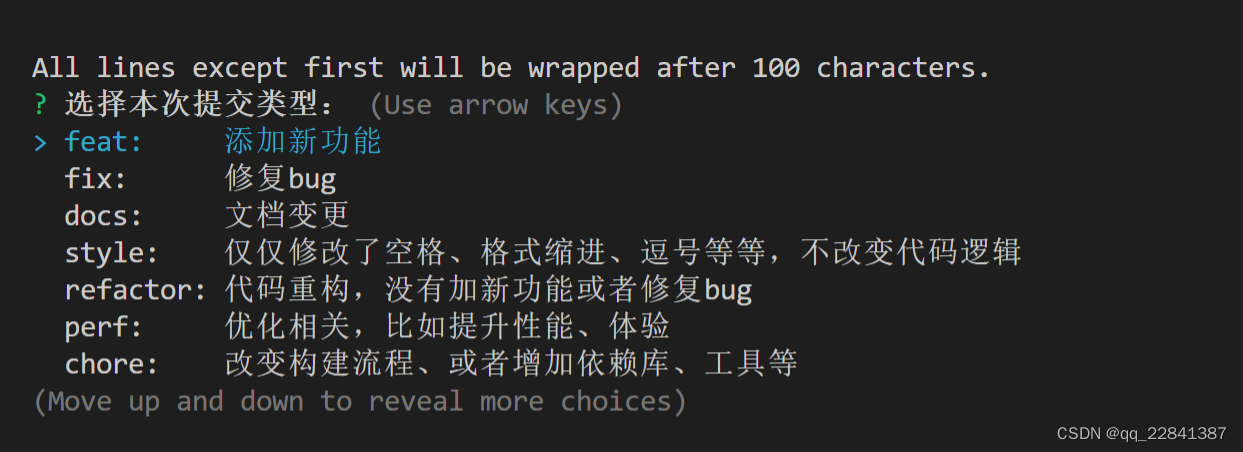
可使用上下键,对功能进行选择
本次提交时添加了一个新的依赖库,改变了构建流程,所以选择了chore
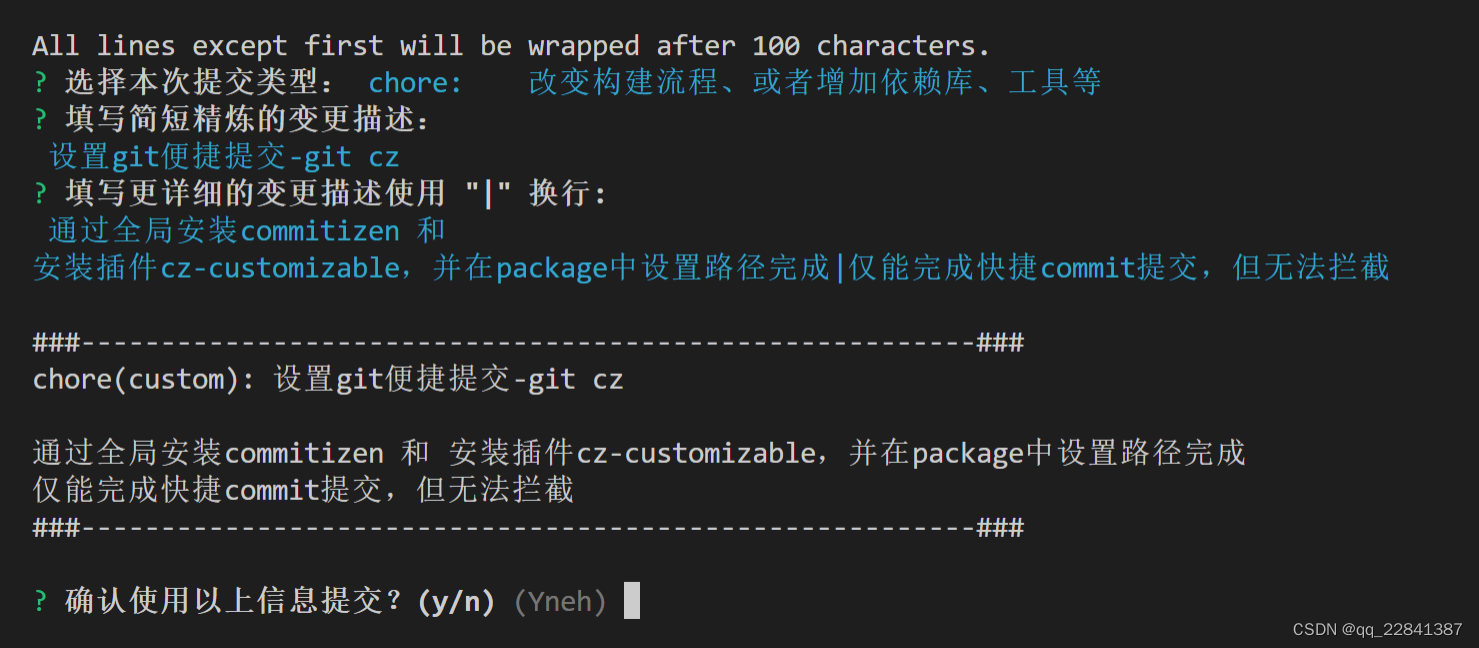
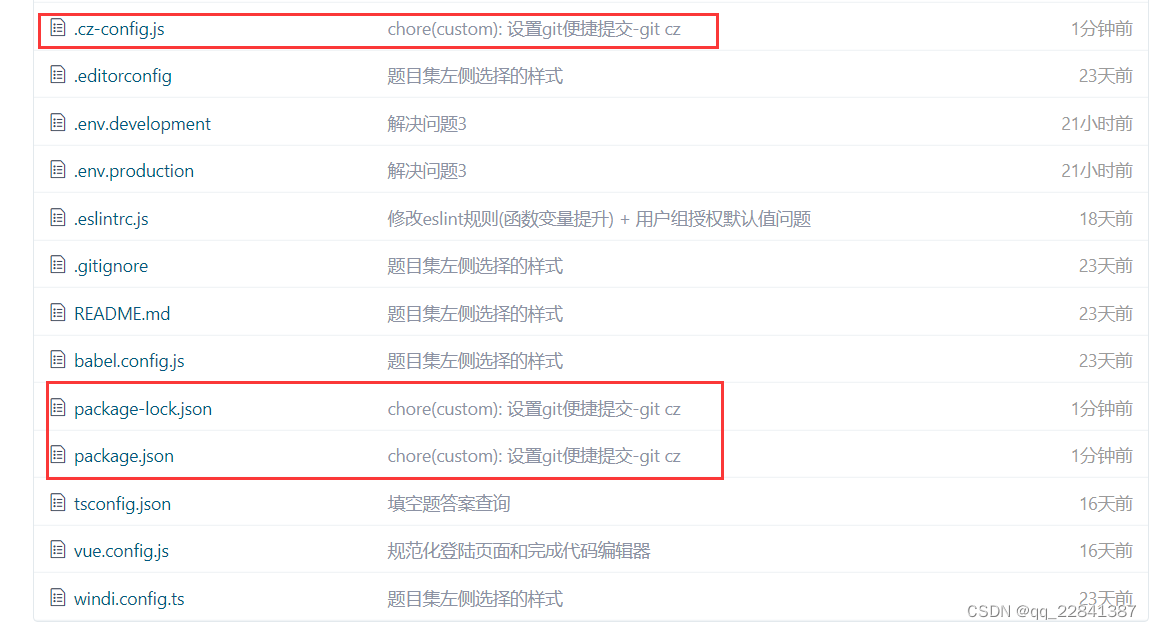
现在我们git push 上去看看会有什么结果
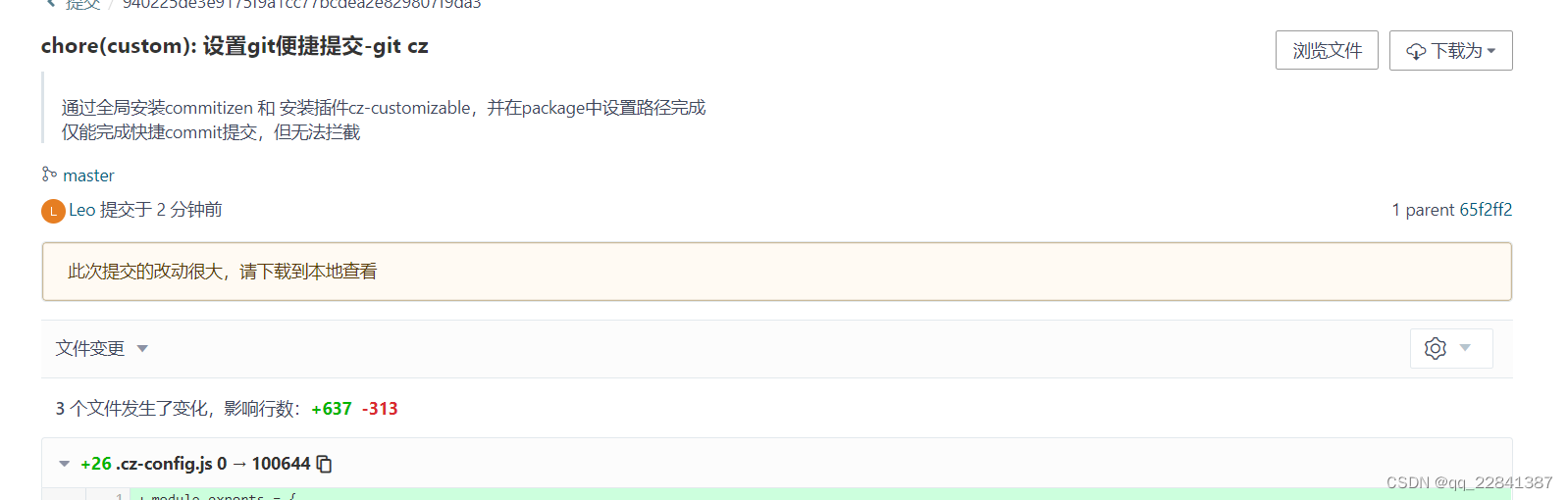
点击进去后,将会显示具体的提交详情
使用husky控制git hook
上面使用commitizen设置快捷commit规范,这一次我们对git的hook进行控制,让团队中成员无法随意提交commit,保证仓库中的备注规范性和一致性
本次用到插件
commitlint:用于检查提交信息
husky:拦截git hooks工具1.安装所需插件
npm install --save-dev @commitlint/config-conventional @commitlint/cli2.创建commitlint.config.js文件
在项目的根目录下,创建commitlint.config.js文件
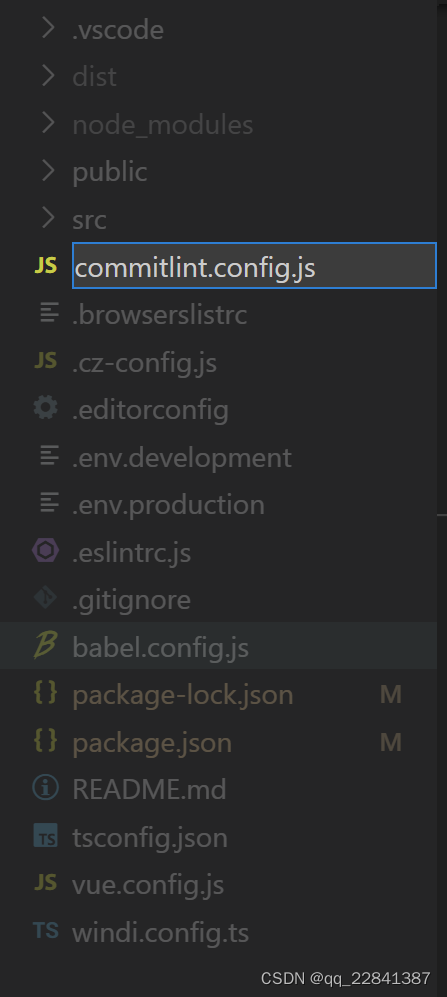
将下列代码加入刚才创建的文件中
module.exports = {
    // 继承的规则
    extends: ['@commitlint/config-conventional'],
    // 定义规则类型
    rules: {
        // type 类型定义,表示 git 提交的 type 必须在以下类型范围内
        'type-enum': [
            2,
            'always', [
                'feat', // 新功能 feature
                'fix', // 修复 bug
                'docs', // 项目文档或注释变更
                'style', // 仅仅修改了空格、格式缩进、逗号等等,不改变代码逻辑
                'refactor', // 代码重构,没有加新功能或者修复bug
                'perf', // 优化相关,比如提升性能、体验
                'test', // 增加测试
                'chore', // 改变构建流程、或者增加依赖库、工具等
                'revert', // 回滚到上一个版本
                'build', // 部署版本
            ],
        ],
        // subject 大小写不做校验
        'subject-case': [0],
    },
}这里的git提交规范最好与面你所定义的commit规范一致
husky
1.安装依赖
npm install husky --save-dev
2.启动hooks
npx husky install启动后,将会自动生成.husky文件夹

3.添加prepare指令
npm set-scrip prepare "husky install"上面已废弃,替换为
npm pkg set scripts.prepare="husky install"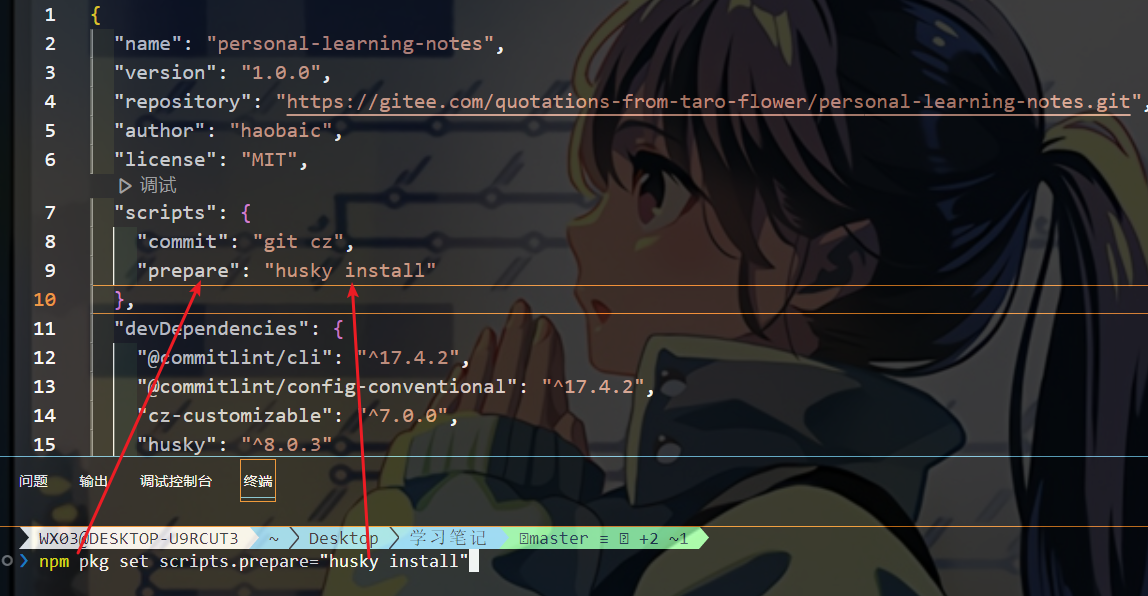
运行指令
npm run prepare
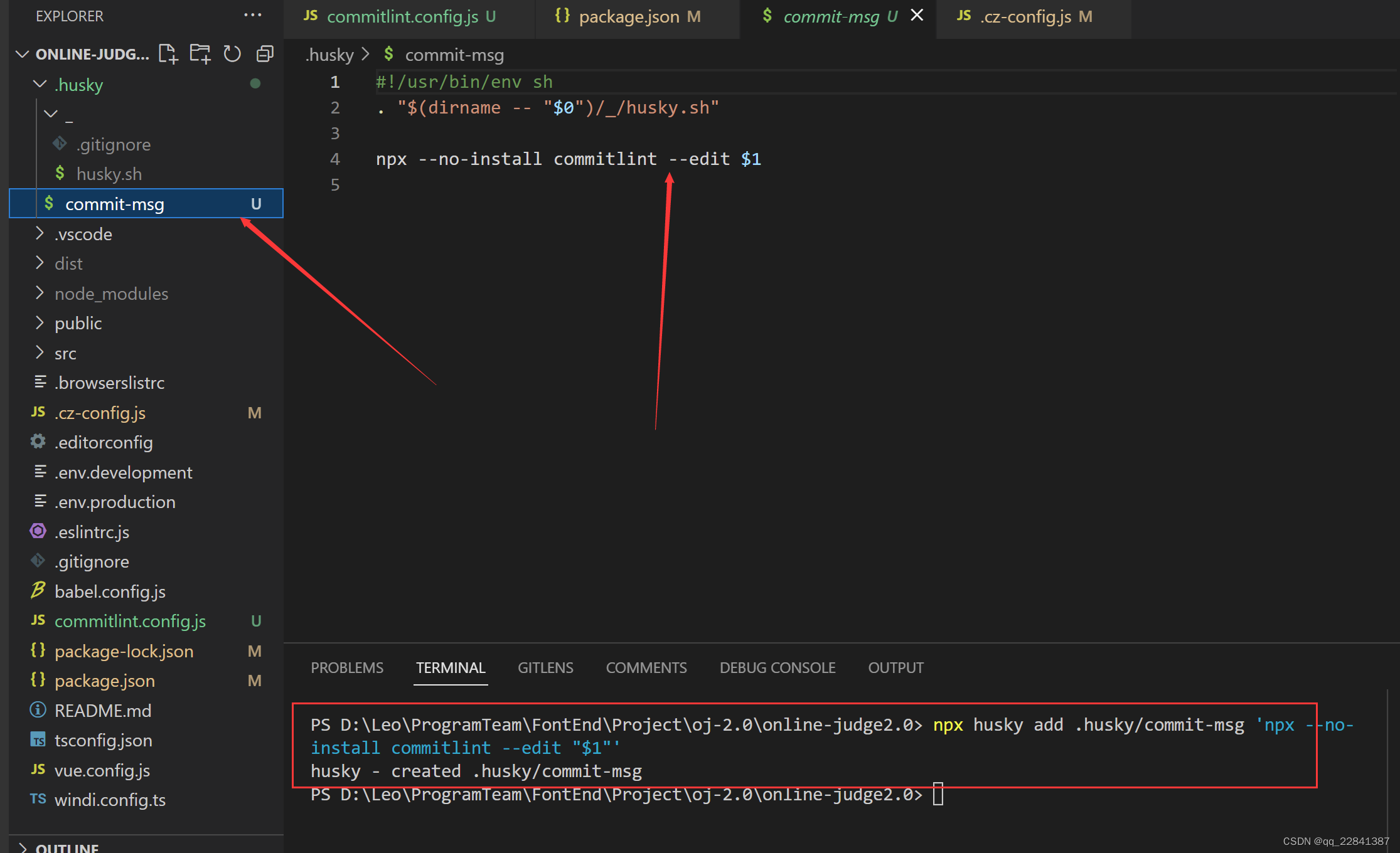
4.添加commitlint的hook到husky中
npx husky add .husky/commit-msg 'npx --no-install commitlint --edit "$1"'运行指令后,文件内容将根据设置自动生成
5.测试
现在进行测试,首先同样的git add . , 尝试一个不和规范的提交
git commit -m "随便提交一个东西看看?"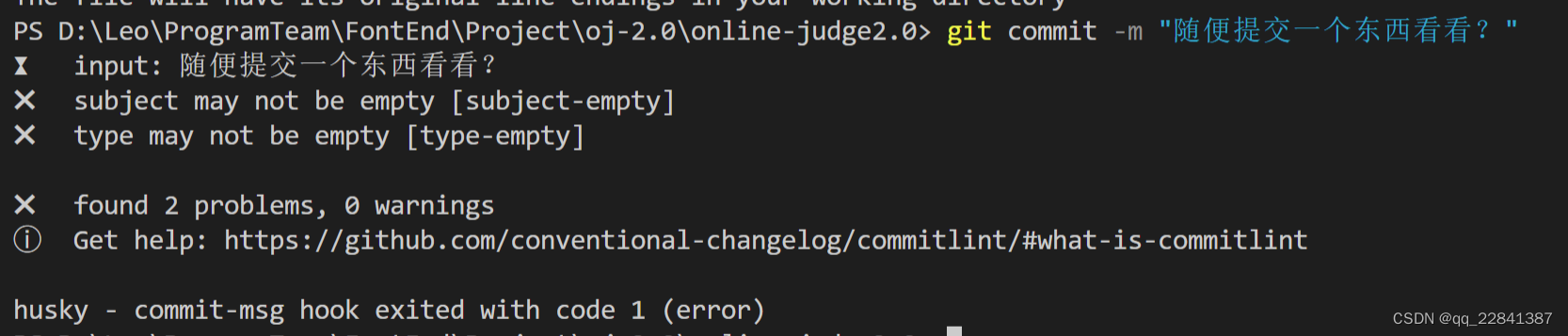
一个不符合提交规范的被拦下来无法commit
到这里,我们就已经可以 强制规范提交,而且不符合规范的提交,将不可被commit
pre-commit检测代码规范
前面两节,我们已经能控制git 提交对应的规范,但是还存在一个问题就是代码规范问题
在项目中使用ESlint和Prettier配合解决代码规范问题时,我们可以通过 手动在vscode中配置自动保存,但也很有可能存在团队中存在有人没配置,或者在提交前,没有保存自动格式化
使用到的插件
pre-commit:提交时,检测代码规范

lint-staged:自动修复格式错误pre-commit
1.配置pre-commit
javascript
npx husky add .husky/pre-commit "npx eslint --ext .js,.vue src"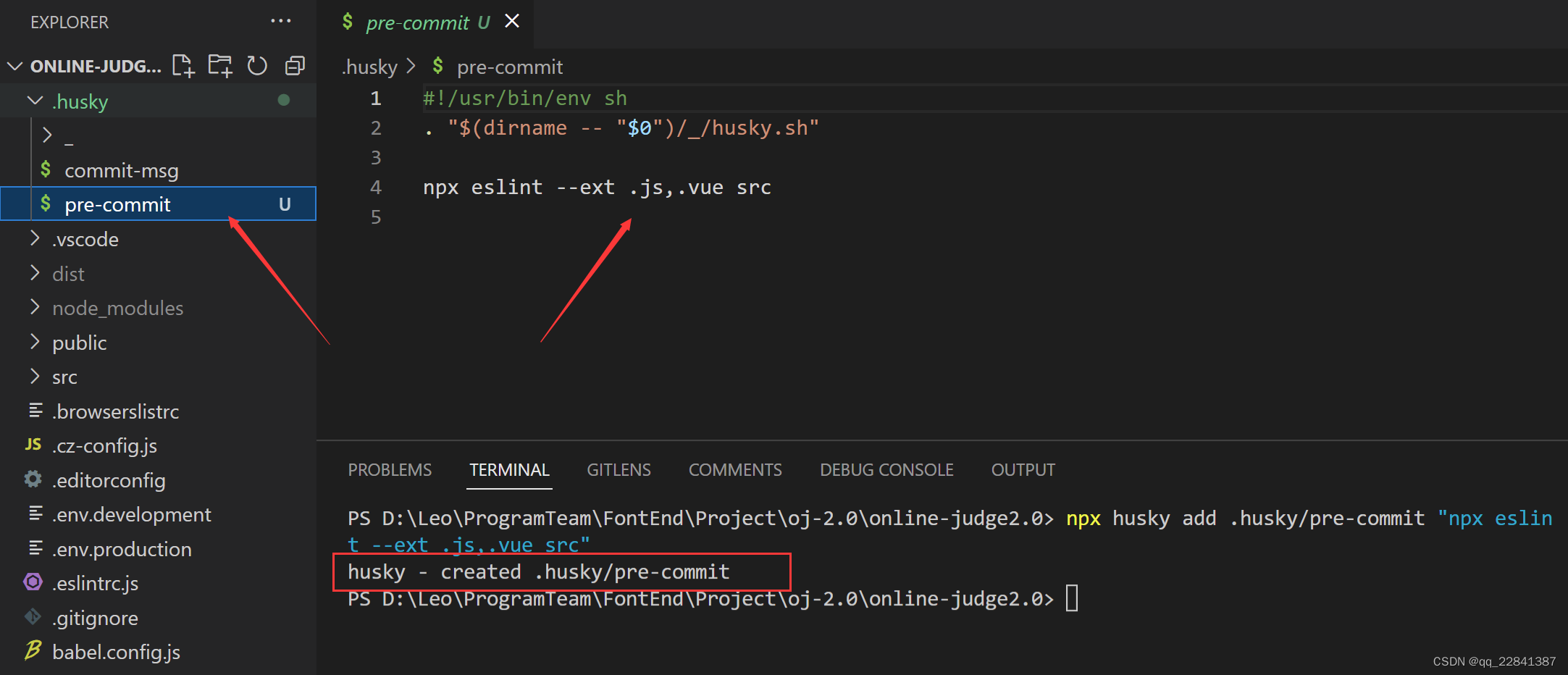
若项目中有使用ts,最好加上类型检测的script
2.0.安装vue-tsc
npm install vue-tsc --save-dev2.1.添加类型检测(script)
在script中添加下列代码
"typecheck": "vue-tsc --noEmit --skipLibCheck"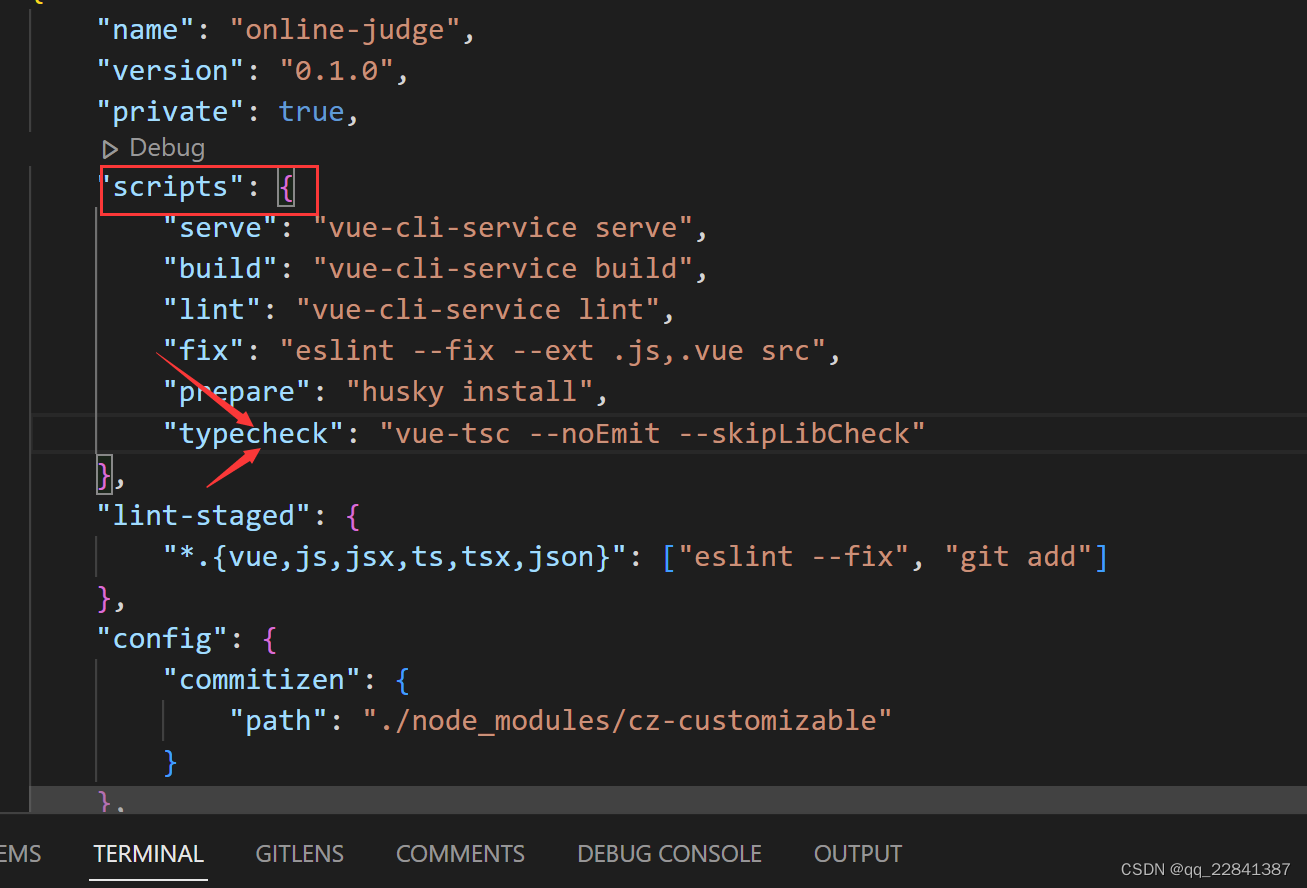
3.修改pre-commit
npx eslint --ext .js,.vue src && npm run typecheck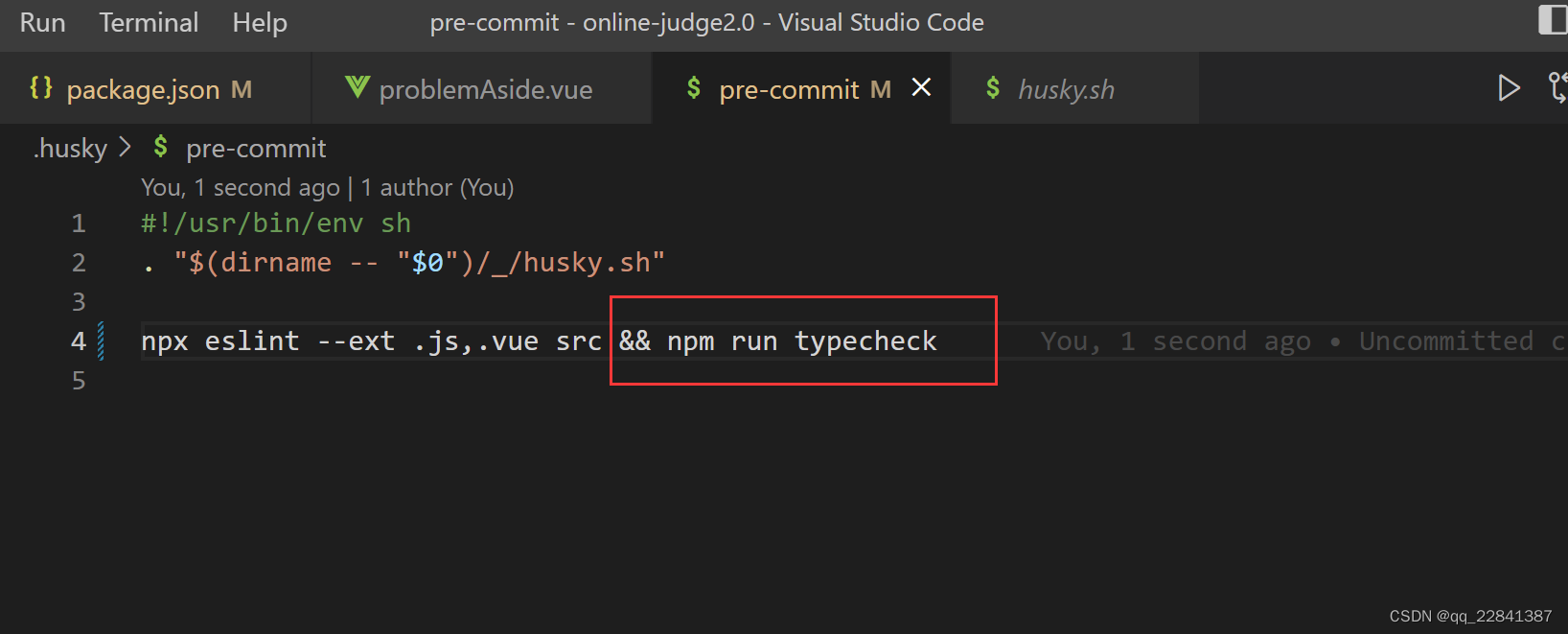
4.测试
现在我设置一个不符合ESlint规范的文件
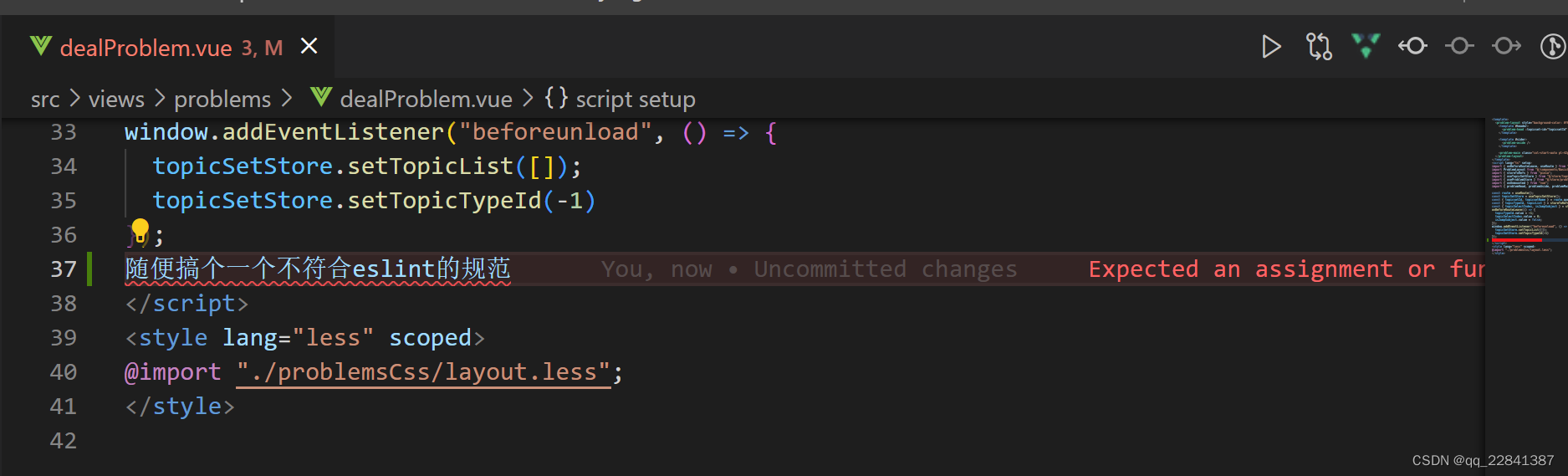
执行提交npm run commit
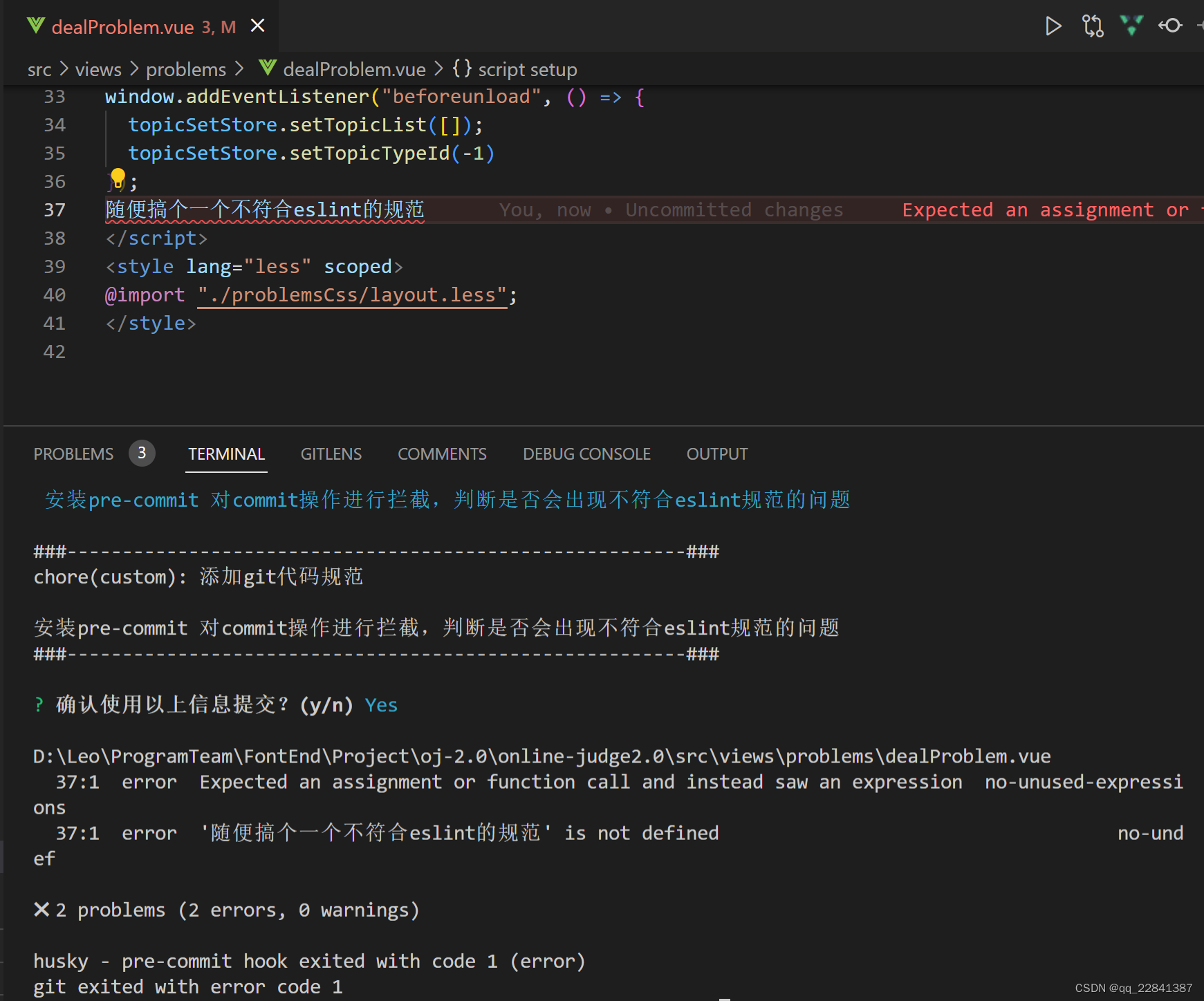
commit的请求被拦截下来
lint-staged 自动修复格式错误
刚才我们对npm run commit中的代码规范错误进行拦截,除开一些代码规范问题之外,还有很多时格式问题。
其实我们希望可以再npm run commit时进行格式的自动格式化,这就引出了这次的主角lint-staged
lint-staged无需单独安装,在我们生成项目的时候,就已经被自动安装了
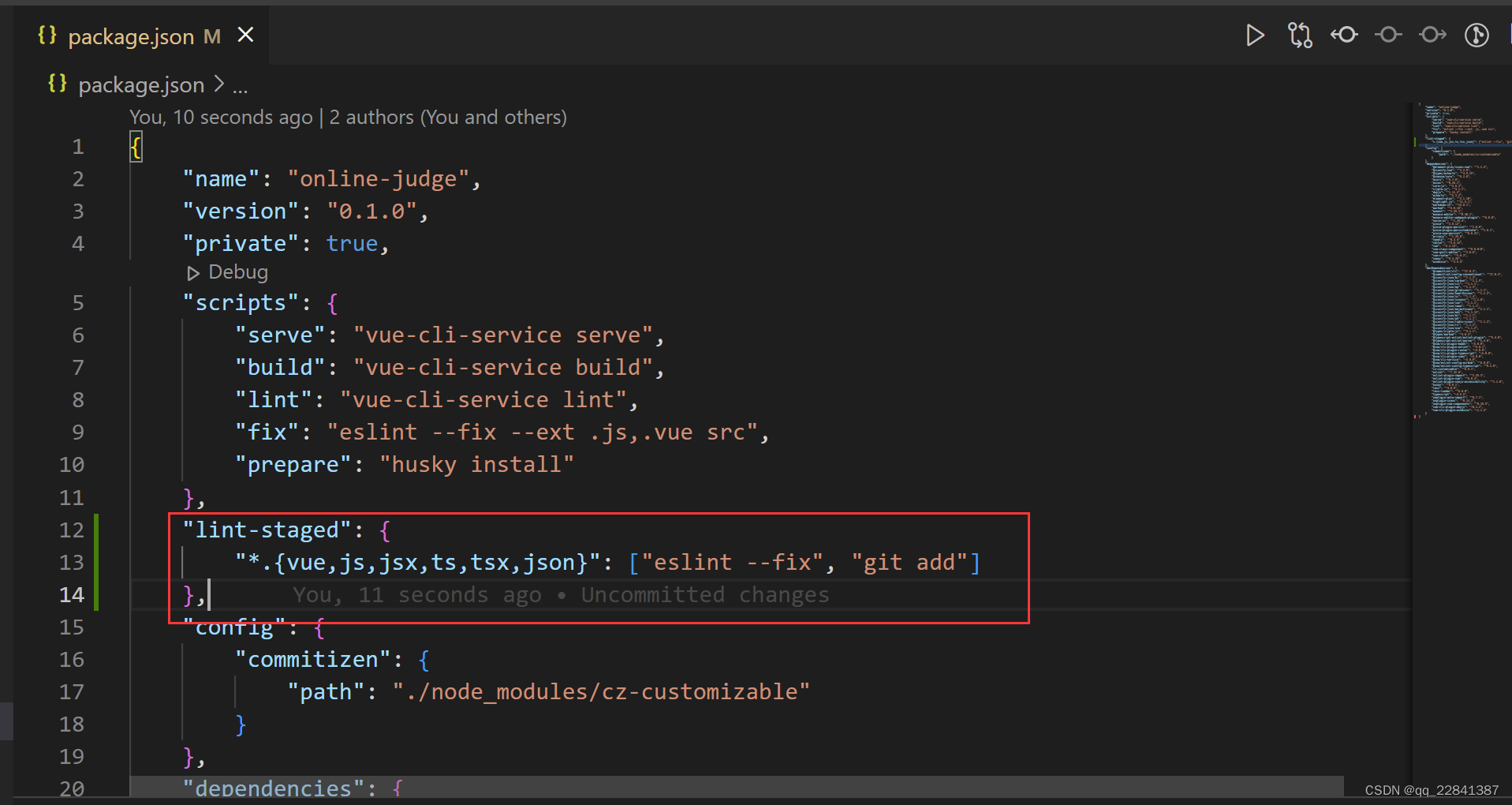
1.配置lint-staged
在package.json中script同级添加下列代码
    "lint-staged": {
        "*.{vue,js,jsx,ts,tsx,json}": ["eslint --fix", "git add"]
    },
提示
项目安装了 husky 可以在 commit 时自动 lint 格式化代码 (vue and js file)
lint 期间 报错 无法解决 可以 在 package.json 中去除下面代码
json
 "lint-staged": {
  "*.{js,vue}": [
      // 去掉这段
 -  "vue-cli-service lint"
  ]
 }